Columns in a different order every time. Extra columns you don't need. Codes still on the old scheme—— clean that incoming data with just a few clicks. No Excel formulas, no macros. Especially when a deadline is breathing down your neck, tidy it up fast and ship. Your data never leaves your PC.
No sign-up to try the demo. Your data stays on your PC.
Common headaches for anyone who receives data — sales, ops, finance (no Excel wizardry required)
Every sender orders columns differently, your usual column is missing, extra columns appear. Re-sorting in Excel, every single time.
Wrong encoding garbles the text. Company names, casing, full/half-width and stray spaces are all mixed together.
Department codes changed after a reorg, but the data you receive still uses the old ones. Manual find-and-replace, every time.
If you're feeding CSV or Excel to ChatGPT or Copilot, clean it first
Messy columns, inconsistent values, and blanks are noise to an AI. Hand over only the columns you need, in a consistent shape, and accuracy goes up.
Drop unused columns and extra rows before sending, and you cut wasted tokens — saving cost and time.
All cleanup happens locally. You decide exactly what goes to the AI.
No install. Clean real data in the demo below (the demo is limited to 5 columns × 50 rows; saving is product-only)
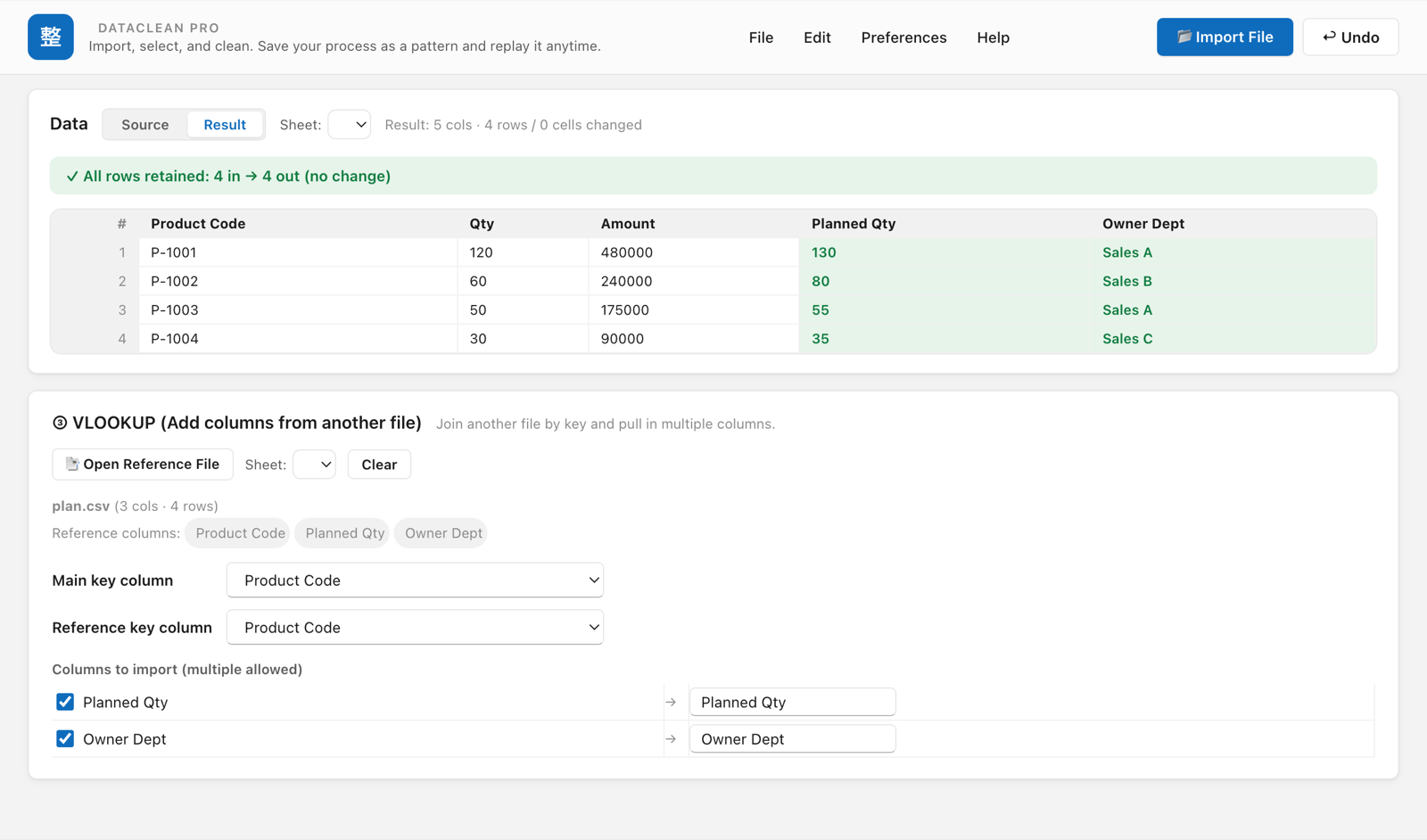
Match against another file by key and pull in the columns you want. No tricky functions, no "$", no arguments.
Only the features non-engineers actually use on the job
Drop, reorder, and rename in one table. Handled by name, not position, so reordering won't break it.
Trim spaces, standardize width/kana (for Japanese text), zero-pad, and unify date formats — in one click.
Code swaps like 2500→1500, partial replace like Inc.→Incorporated. Exact, prefix, or contains.
Match another file by key and pull in multiple columns like rep or department name. No formulas.
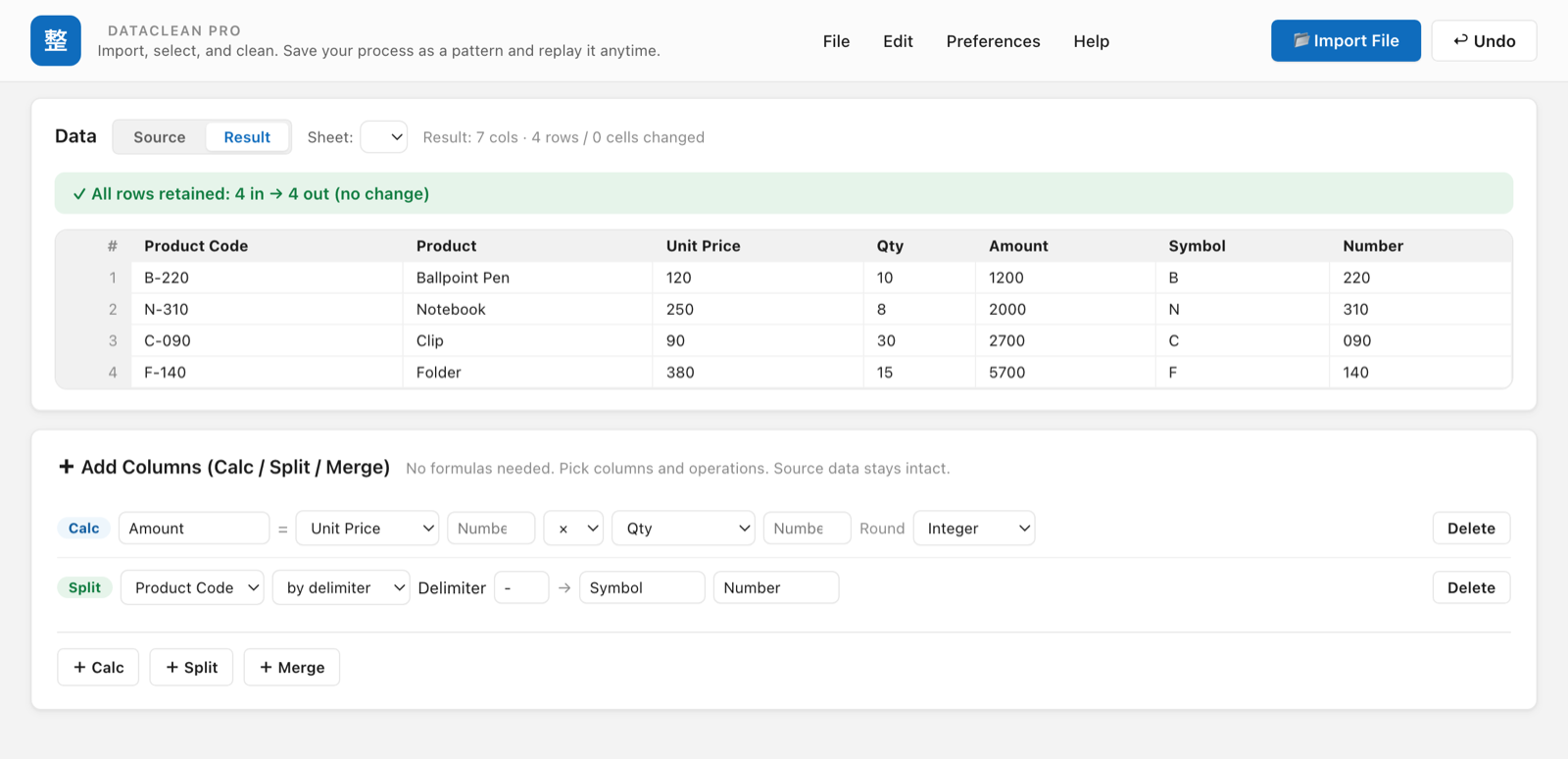
Calculated columns (price × qty = amount, tax-incl), splits (B-220 → symbol/number), and merging columns. No formulas.
Cross-tabs like department × month: sum, count, average, max, min — in one go.
Match this month vs last by key to surface additions, deletions, and changes.
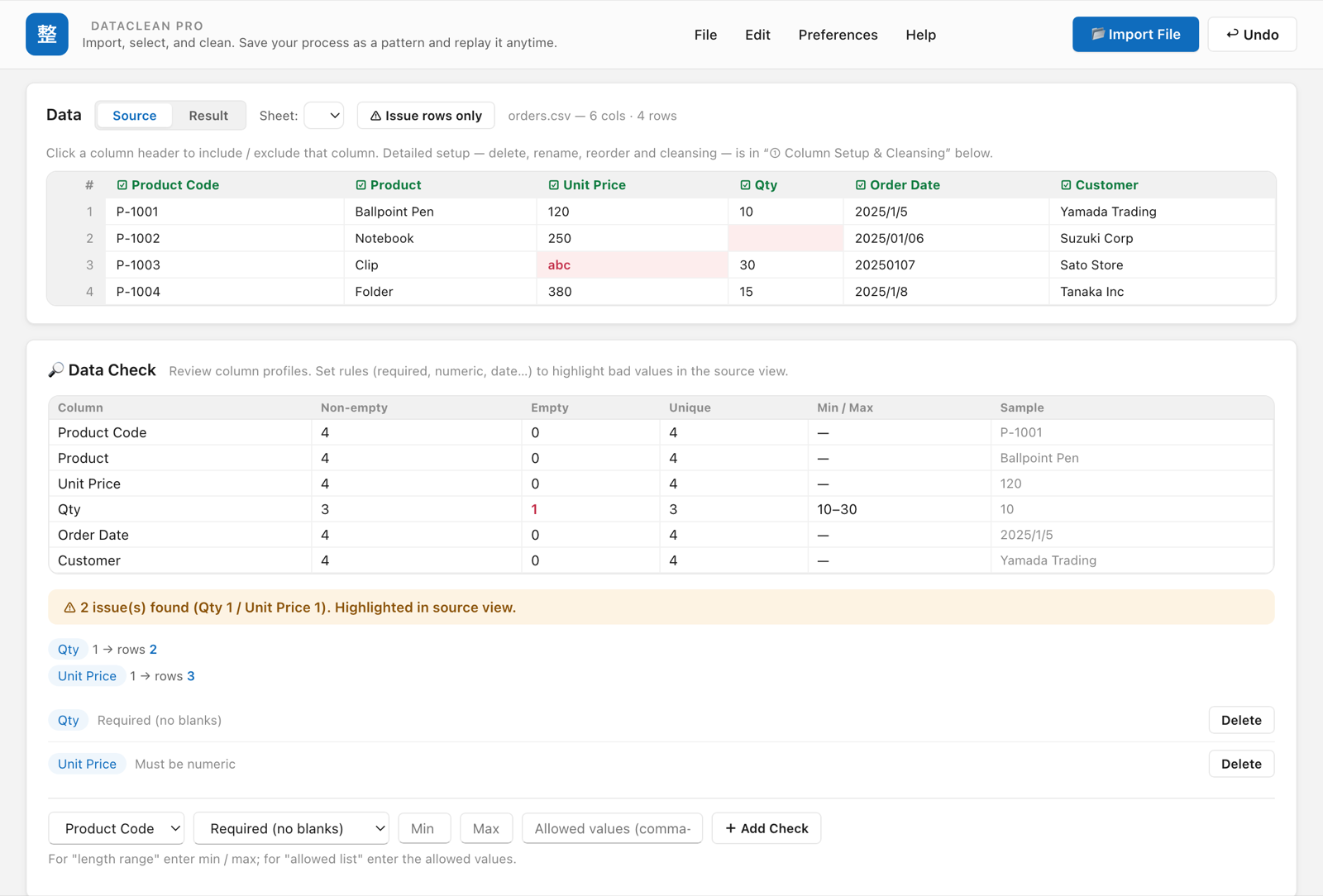
Find blanks, non-numeric values, and unexpected codes with color highlighting. Perfect for a pre-delivery check.
Clean and combine every CSV/Excel in a folder using a saved recipe.
Import and export both .csv and .xlsx, including choosing among multiple sheets.
Name and save your steps. Reproduce a monthly routine in one click next time.
Output as UTF-8(BOM) or Shift_JIS(cp932), plus Western-legacy Windows-1252 and ISO-8859-1. Match whatever the recipient needs.
Decimal comma (1.234,56), semicolon (;) delimiter, and DMY dates (31/12/2025). Clean overseas data without breaking it.
Remove blank rows, dedupe, and filter by condition to clear out unwanted rows.
No cloud upload. Your sales data and customer lists never leave your PC.

No trial version, but you can see the real screens before you buy
Everything is processed on your PC. No external uploads — easy to clear with internal security policies.
Not a subscription. Buy once, use it forever.
Install safely from the Microsoft Store. Automatic updates.
Every feature included, no add-on costs
Available on the Microsoft Store — or try the demo above first.
The demo on this page lets you try the real workflow for free (up to 5 columns × 50 rows; saving is disabled). The full product has no row or column limits and lets you save cleaned results and reusable cleanup recipes.
No. Both the demo and the product do all processing inside your PC (your browser). Your sales data and customer lists never leave, which makes it easy to clear with internal security policies.
We currently offer a Windows version. If you'd like a Mac or other OS build, let us know.
No — it's a one-time purchase of $29.99. Buy once and use it forever, with no extra fees.
Yes. It imports and exports .xlsx / .xls and lets you choose among multiple sheets.
Bug reports, feature requests, pre-purchase questions — all welcome.
Your message is delivered to the developer by email.